

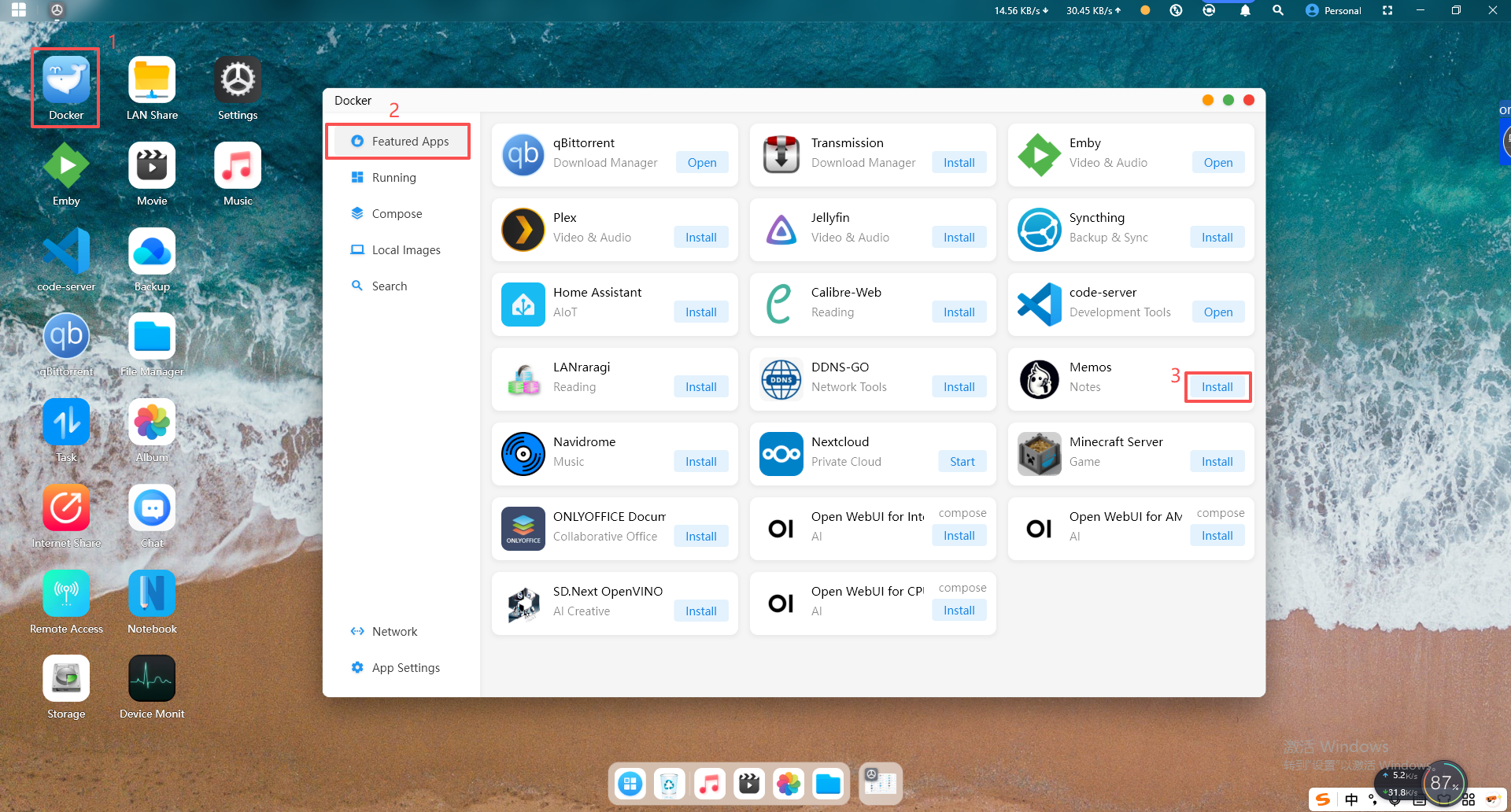
A modern, open-source, self-hosted knowledge management and note-taking platform designed for privacy-conscious users and organizations.
Memos provides a lightweight yet powerful solution for capturing, organizing, and sharing ideas, with full Markdown support and cross-platform accessibility.
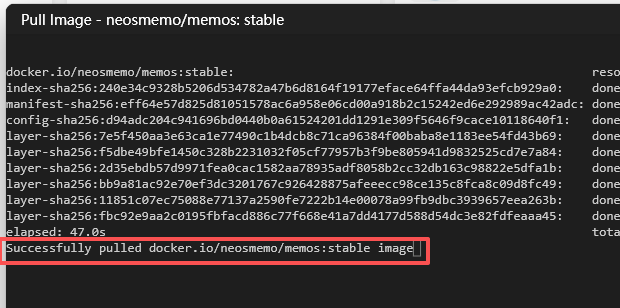
After the image download is complete, "successfully pulled..." will appear on the last line.
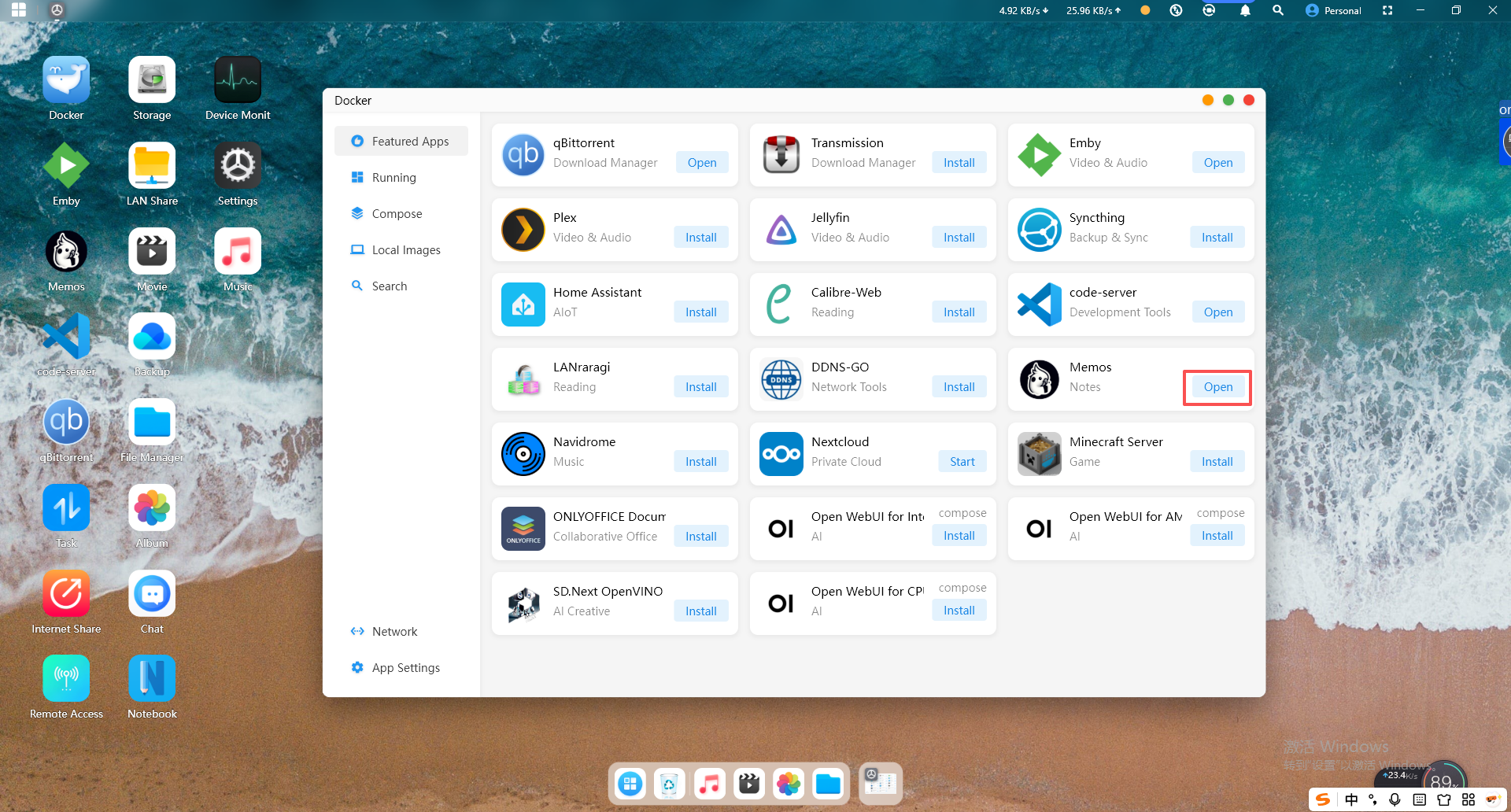
2.Click the "Start" button to launch the container. After a successful startup, click the "Open" button and you will be automatically redirected to the web UI page.
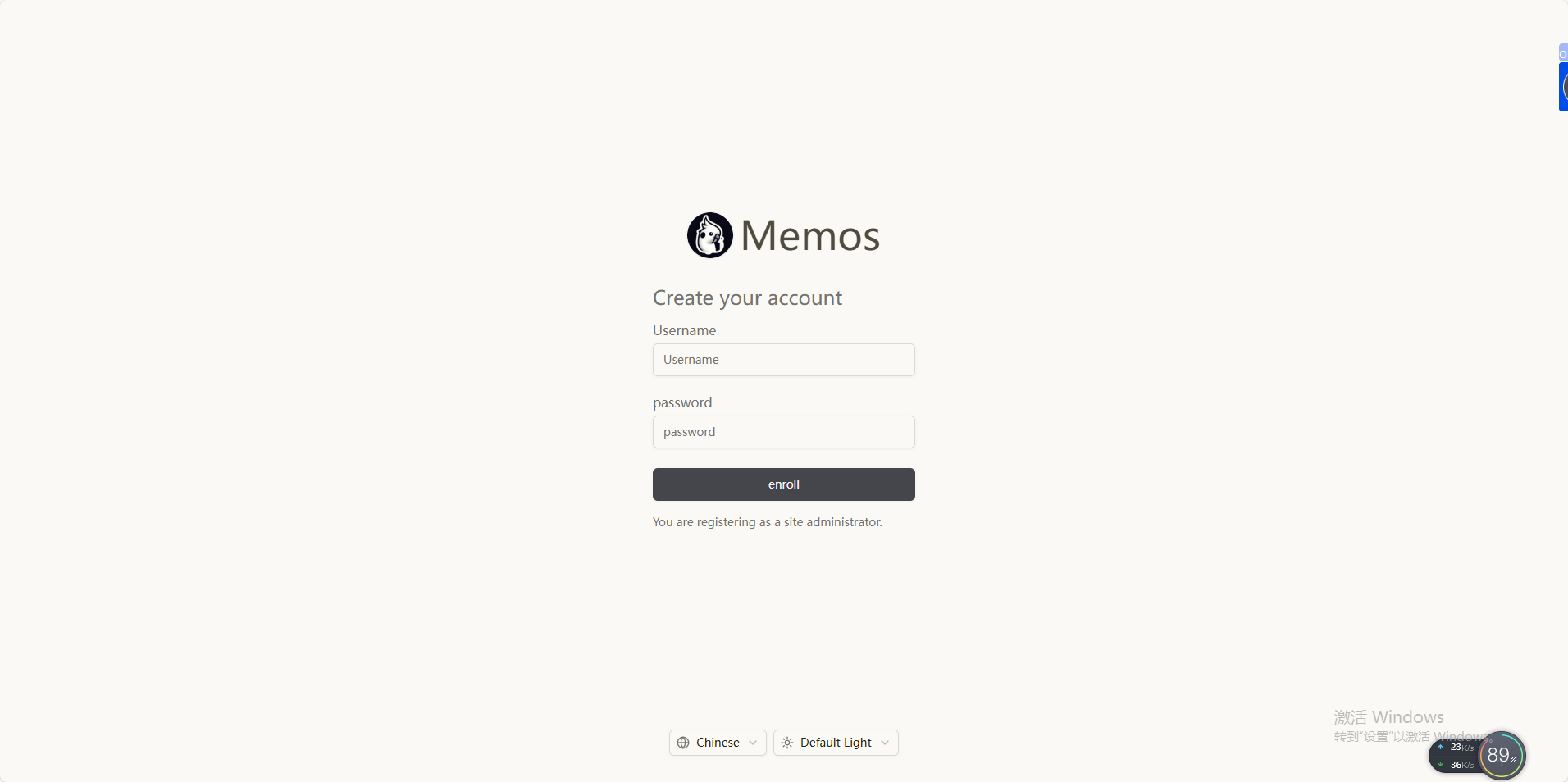
3.Create an account to become a site administrator, and you will be ready to use it.