

Due to the domestic network environment, Docker image downloads often encounter issues such as failures and timeouts.
The default image acceleration only supports the official docker.io registry and cannot accelerate other commonly used foreign registries like ghcr.io, gcr.io, and k8s.gcr.io. To improve the speed of pulling Docker images, you can utilize certain mirror acceleration sources. These accelerators help you fetch required images from Docker Hub more quickly through proxy or caching mechanisms. However, since most of these accelerators are not professional mirror sites, their stability and availability may have certain limitations.
The following guide will show you how to configure additional registry mirrors and acceleration source addresses.
2. https://docker.m.daocloud.io
Note: After using other mirror accelerator addresses or mirror sources, the image pull speed may still be slow due to the following possible reasons:
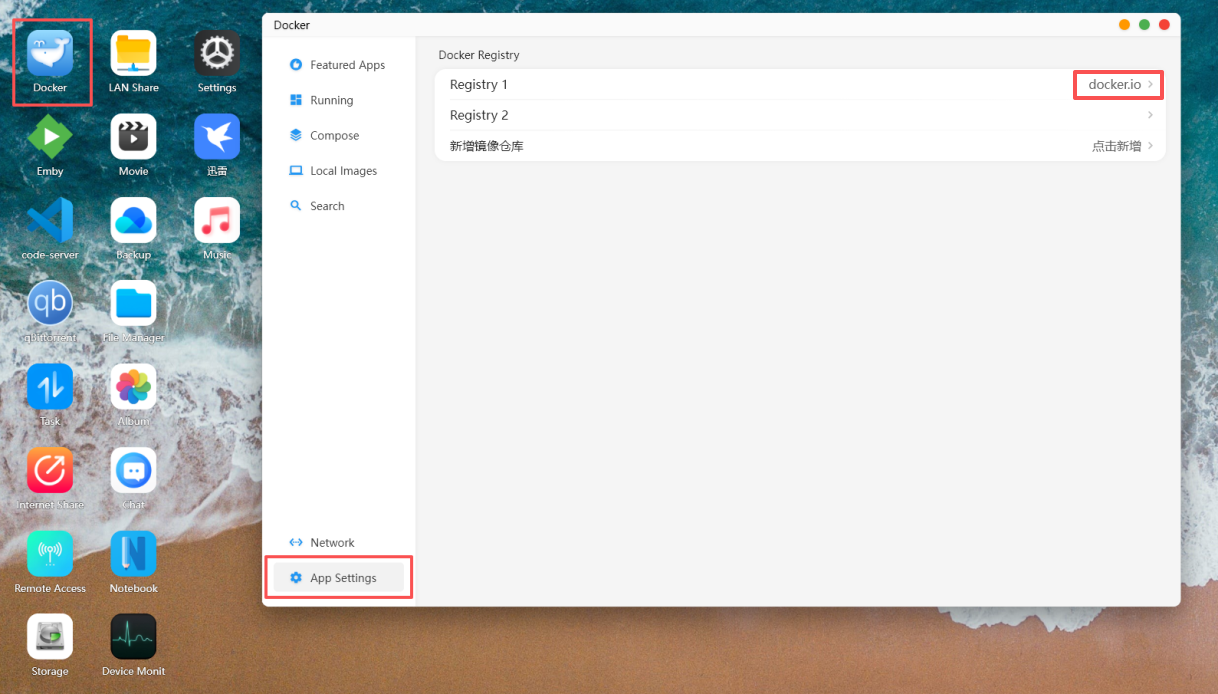
Open the Cyber Cloud Space APP -> Docker -> App Settings -> Registry 1.
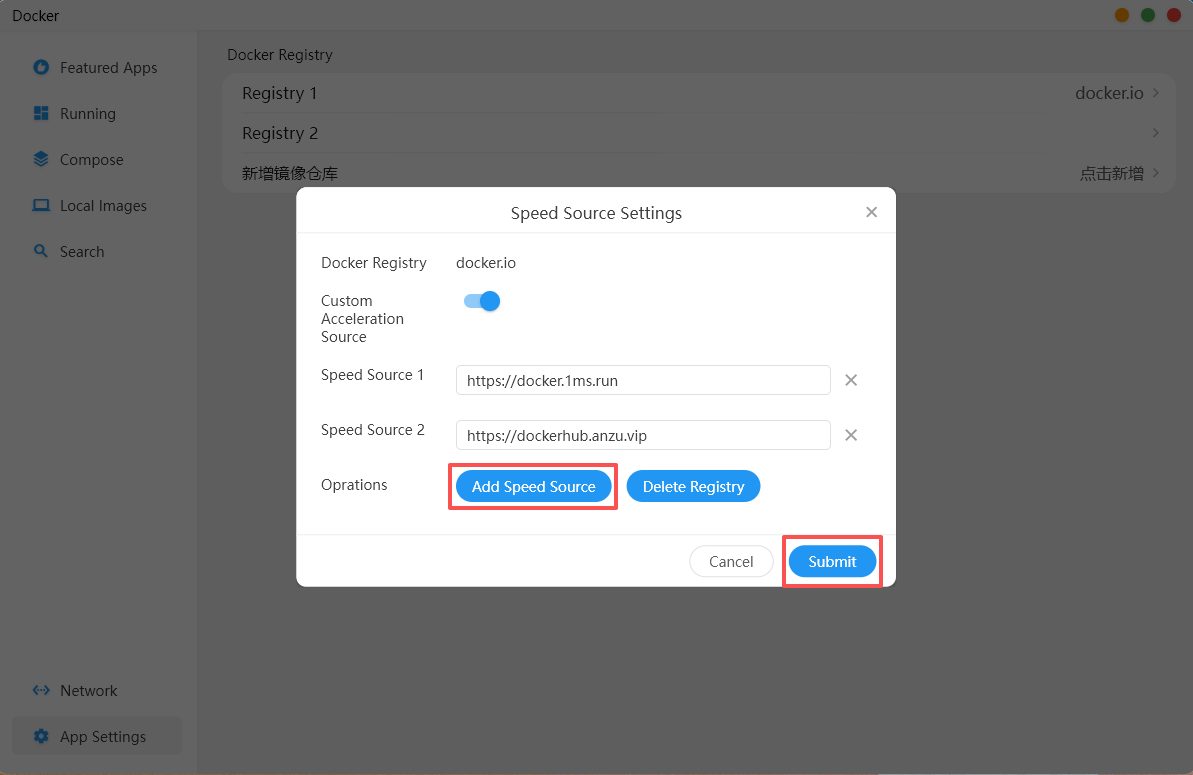
Click "Add Speed Source" to add multiple image accelerator source addresses, then submit.
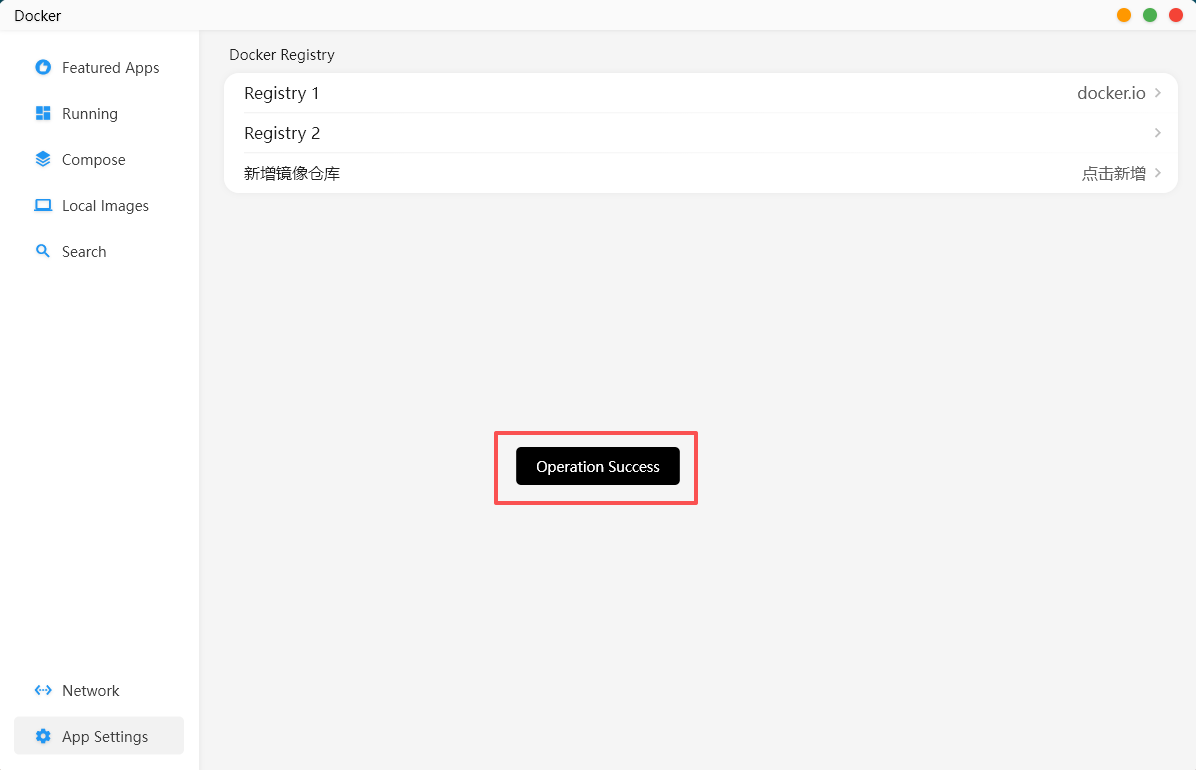
After submission, a prompt will appear indicating that the operation was successful.
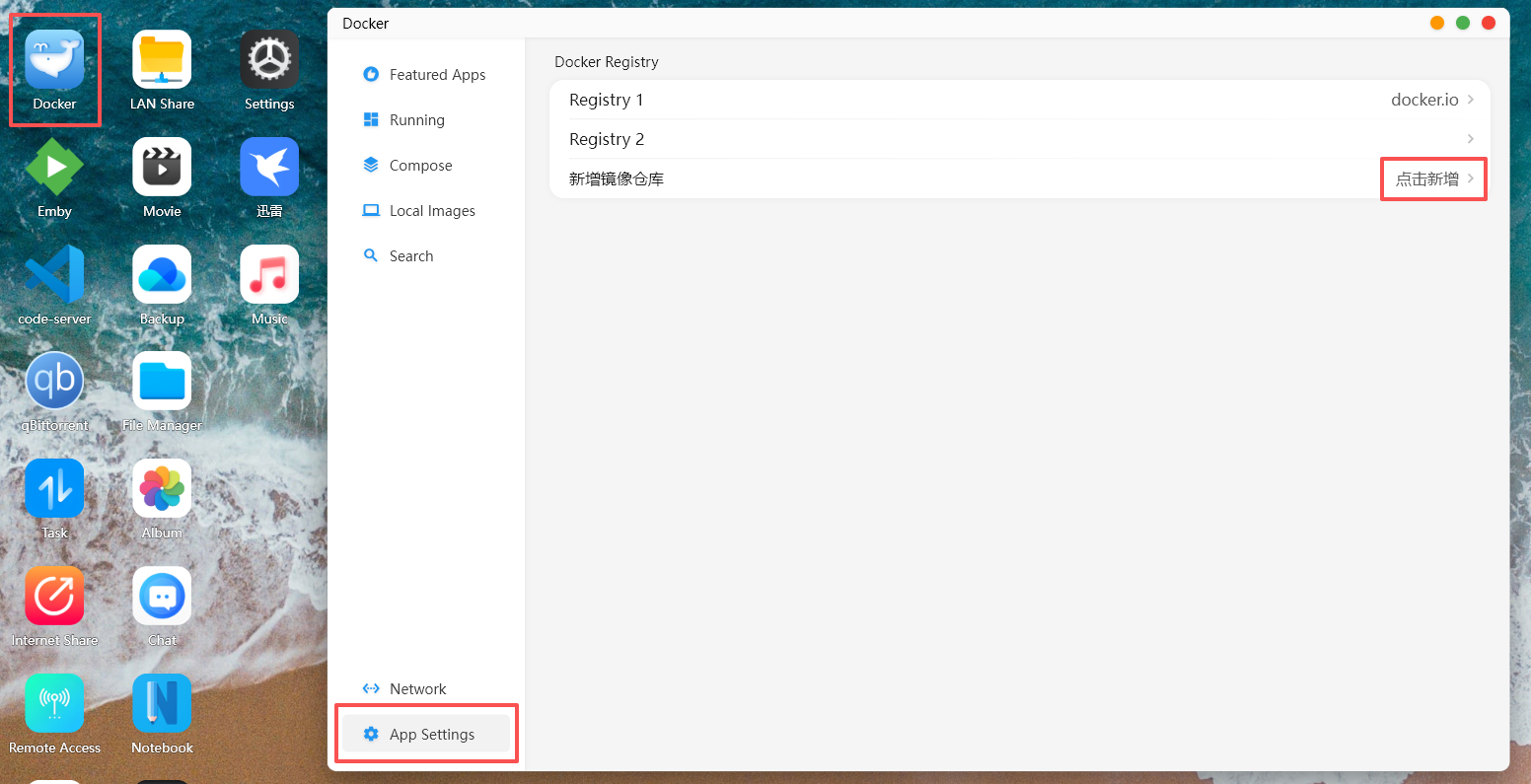
Taking the addition of the ghcr.io registry as an example, open the Cyber Cloud Space APP -> Docker -> App Settings, and click "Add New".
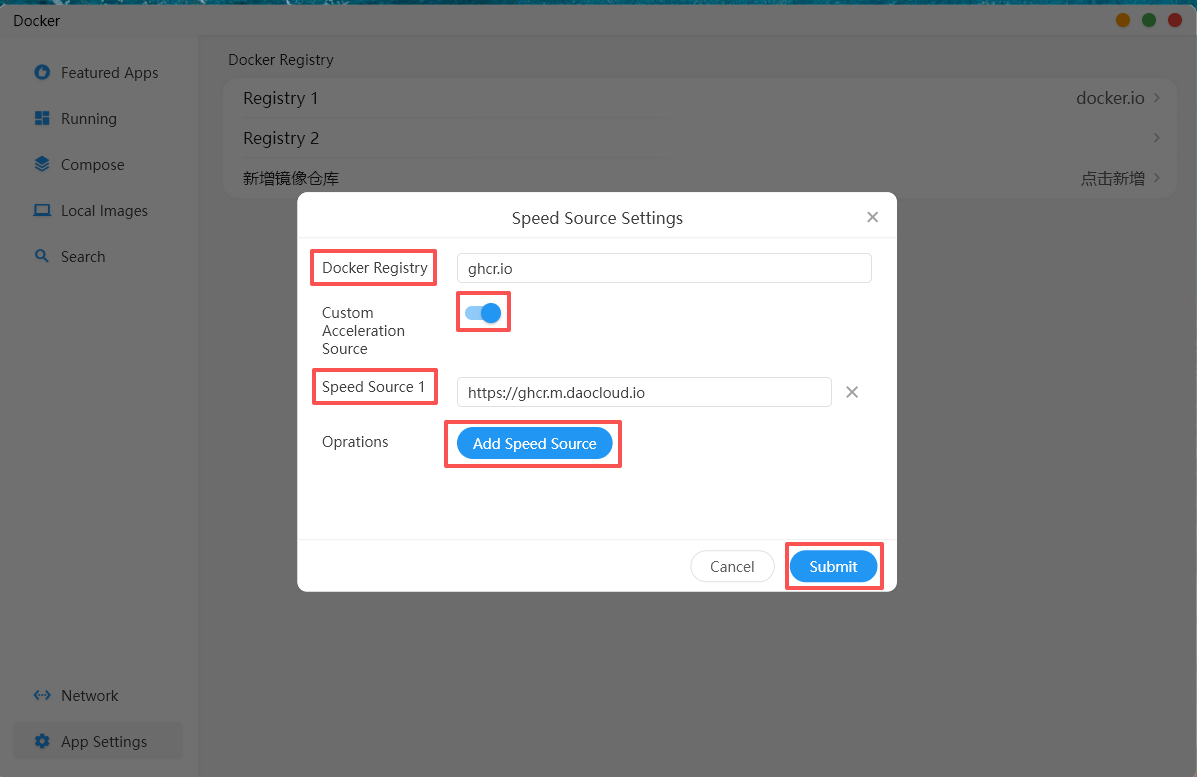
Turn on the "Custom Accelerator Source" option switch. In the "Docker Registry" field, enter the proxy source registry address. In the "Speed Source 1" field, enter the image accelerator source address. Click "Add Speed Source" to add multiple image accelerator source addresses, then submit.
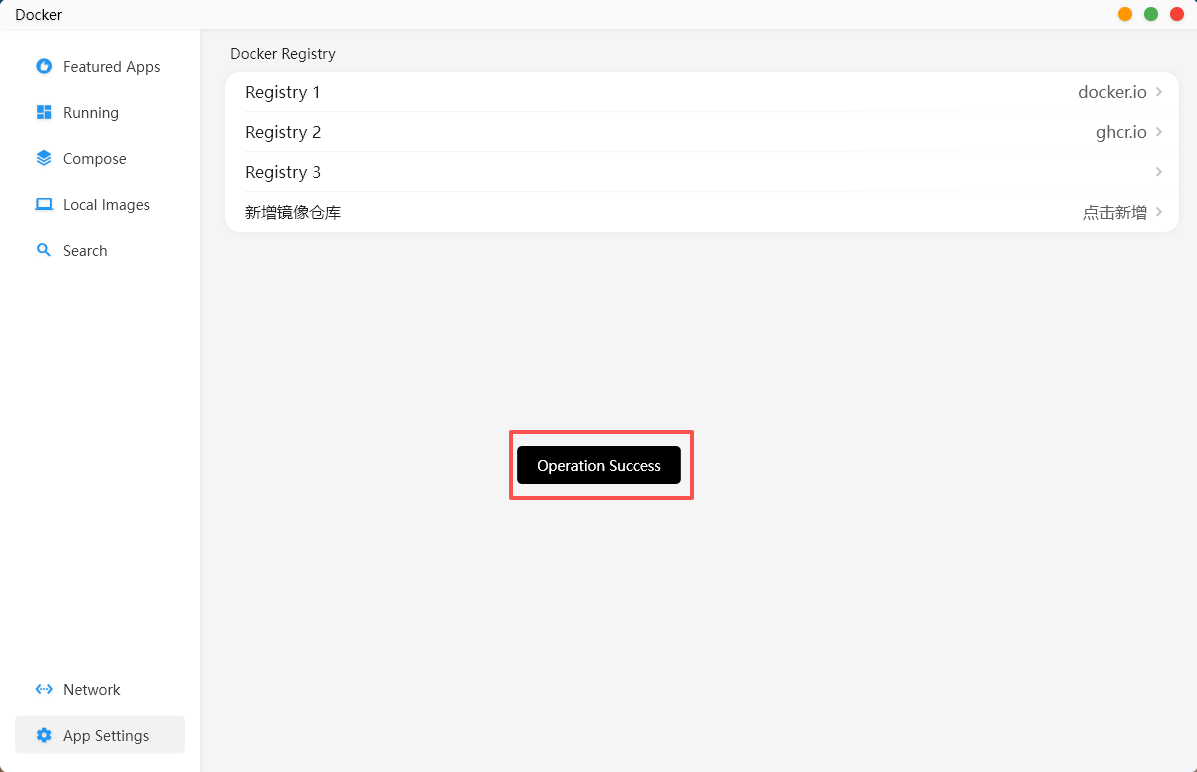
After submission, a prompt will appear indicating that the operation was successful, and the new registry will be displayed in the image repository list.